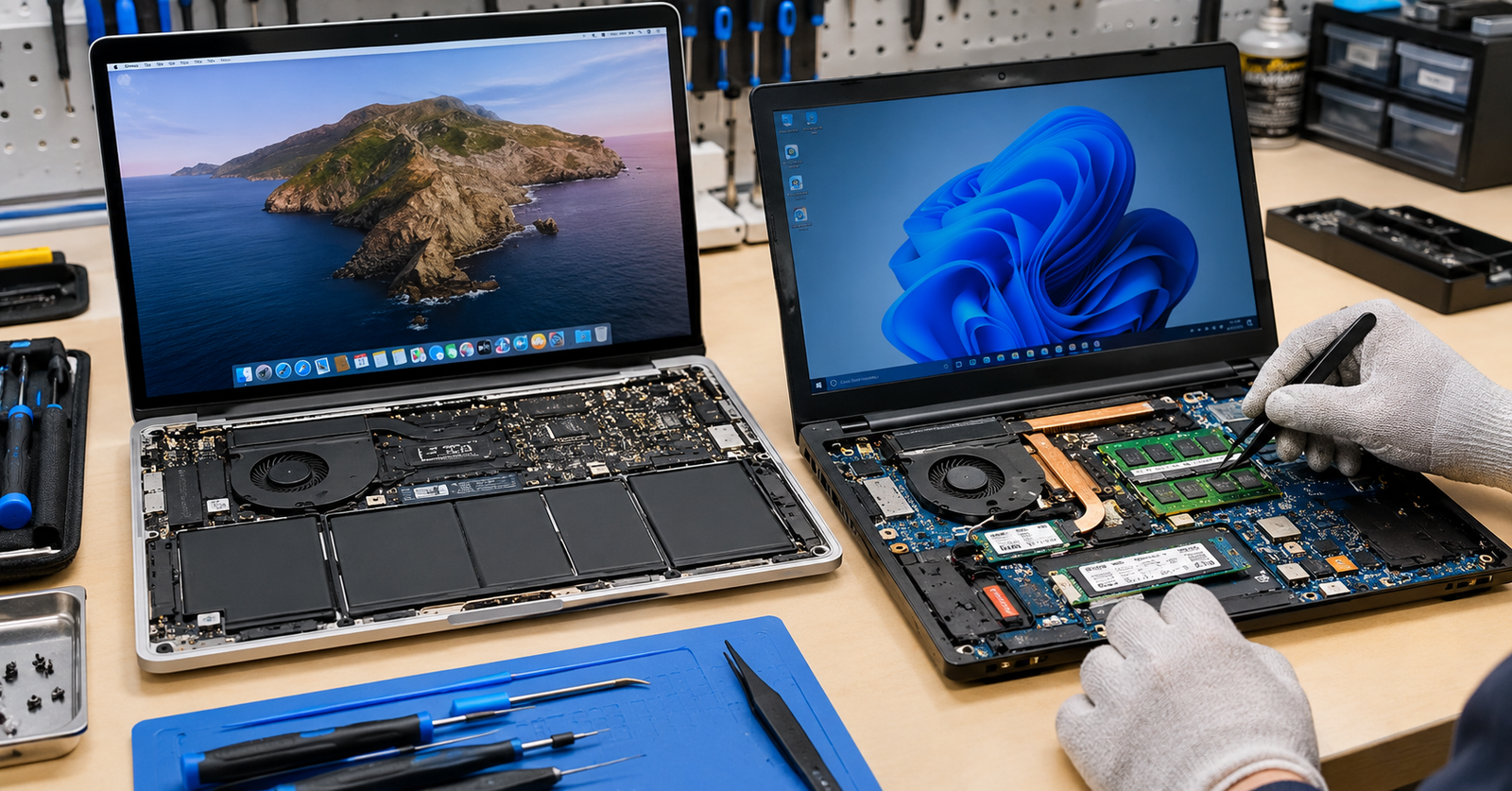
The biggest Mac vs Windows repair differences are hardware design, parts availability, and typical faults. Recent MacBooks use soldered parts and often cost more to fix, while Windows PCs generally allow easier upgrades and cheaper parts but see more driver, update, and malware trouble.
Take a MacBook and a Windows laptop to a repair counter, and the experience can feel quite different. The machines are built differently, they fail in their own ways, and the fix often follows another path. Knowing which Mac computer problems are common, and how they compare with Windows issues, helps you plan repairs and avoid surprise costs. This article covers hardware differences, common faults on each side, repair costs, simple troubleshooting steps, and how to decide between repairing and replacing.
Key Takeaways
- Recent MacBooks use tightly built, often soldered parts, so repairs usually cost more.
- Upgrades and component availability are greater for Windows PC systems.
- Common Mac problems include issues with batteries, storage, and liquids.
- Common problems with Windows are driver issues, system updates, and malware.
- Simple software fixes are worth trying before you pay for a repair.
Why Does Mac vs Windows Repair Work So Differently?
The gap starts with design. Apple builds both the hardware and the software, and recent MacBooks are tightly integrated. Memory sits inside the chip package, storage is often soldered to the logic board, and the battery is held in with strong adhesive. One failed component can mean replacing a whole board.
Windows PCs come from many brands, and designs vary widely. Many laptops and most desktops let a technician swap RAM, storage, fans, or batteries with basic tools, and compatible parts are easy to find. Thin ultrabooks can be just as locked down, so the exact model matters as much as the platform.
That is why MacBook repair often depends on Apple parts and specialist skills, while many Windows jobs can be handled by any capable technician.
What Are the Most Common Mac Computer Problems?
Macs are stable machines, but they are not immune to trouble, and macOS can pick up malware too. These are among the faults people bring in most often:
- Battery wear: Older batteries drain fast and may swell, which needs professional replacement.
- Storage failure: A failing soldered drive can lead to a logic board repair.
- Liquid damage: Spills can corrode the board even if the Mac seems fine at first.
- Display faults: Cracked panels, flickering, or lines across the screen.
- Software hiccups: Slow performance on a full drive, stuck updates, and wireless or Bluetooth glitches.
What Are the Most Frequent Issues with Windows Computers?
Windows runs on thousands of hardware combinations, so software conflicts are a regular cause of trouble. Typical examples include:
- Slow performance: Too many startup apps, low storage, or an aging hard drive.
- Driver conflicts: Graphics, network, or audio drivers that fail after an update.
- Update failures: Windows Update that stalls, loops, or breaks a working setup.
- Malware and adware: Pop-ups, browser changes, and sudden slowdowns.
- Blue screens and overheating: Often linked to drivers, memory, dust, or failing parts.
How Do Repair Costs and Parts Compare?
Prices vary by model, but the pattern below holds in most cases. A premium Windows laptop with proprietary parts can cost as much to fix as a MacBook.
| Area | MacBook | Windows PC |
| Parts | Mostly Apple-supplied | Wide choice of brands |
| Upgrades | Limited on recent models | Often possible |
| Typical repair cost | Often higher | Often lower |
| Technician choice | Specialist or authorized | Most repair shops |
| Data recovery | Harder with soldered storage | Often easier with removable drives |
How Do You Troubleshoot Each One at Home?
Start with simple checks before paying for a repair, and back up your files first.
Mac Troubleshooting Steps to Try First
Step 1: Restart, then install any pending macOS updates.
Step 2: Open Activity Monitor to find apps using too much memory or processor power.
Step 3: Run First Aid in Disk Utility to check the startup drive.
Step 4: Free up storage if the drive is nearly full.
Step 5: Start in Safe Mode to rule out problematic startup items.
Windows Steps to Try First
Step 1: Restart, then install any pending Windows updates.
Step 2: Open Task Manager to spot heavy apps and trim startup items.
Step 3: Update or roll back drivers in Device Manager.
Step 4:Run sfc /scannow in an administrator Command Prompt to repair system files.
Step 5:Scan for threats with Windows Security.
Should You Repair or Replace?
Age and cost usually decide it. Repair tends to make sense when the problem is isolated, the device is only a few years old, and it still receives system updates. Replacement deserves a look when an older machine has a failed board or the quote nears the price of a comparable new device. Asking for a written quote makes the choice easier.
Conclusion
The Mac vs Windows repair question comes down to design and parts. MacBooks tend to cost more to fix because of tightly built hardware and limited upgrades, while Windows machines offer flexibility and a wider choice of parts. That flexibility comes with a trade off, since drivers, updates, and security need more regular attention. Neither platform is better in every case. The right choice depends on how you use your device and how long you plan to keep it.
Knowing the common Windows computer problems and Mac faults helps you act early and save money. If your device needs a closer look, the team at William’s PC Repair can diagnose the issue and recommend the most sensible fix for you.
FAQs
Is a MacBook more expensive to repair than a Windows laptop?
Usually, yes. Many MacBook parts come from Apple and are soldered, so one fault can mean a larger repair. Windows laptops often use common, replaceable parts that cost less.
Can you upgrade RAM or storage on a MacBook?
On most recent models, no. Memory is built into the chip and storage is usually soldered, so choose enough capacity when buying. External drives can add extra space for files.
Do Macs get viruses?
Yes, since macOS is vulnerable to malware, even though attacks are more common on Windows. Updates should be installed immediately, and apps downloaded from safe locations will reduce risks.
Can a local shop repair a MacBook?
Yes. There are many local stores that fix MacBooks, which do things like changing batteries, screens, and fixing liquid damage. Some require you to have certain Apple components or be able to access the board.
How do you know a MacBook battery needs replacing?
Look out for rapid discharge, unexpected shutdowns, or the trackpad lifting up. Look under “Battery Health” in System Preferences. If you see that the battery appears swollen, don’t use your Mac anymore.
Need a Hand With Your Mac or Windows PC?
Contact our team today for careful diagnosis, honest advice, and dependable MacBook repair or Windows PC repair, and get your device back to working smoothly again.