Staring at a slow, aging computer and wondering if it’s time to say goodbye? You’re not alone. Most people quickly reach for a new machine the moment their old one starts acting up, but that’s not always the smartest move. Sometimes a stubborn laptop or desktop just needs the right kind of attention rather than a trip to the store.
A good PC Rebuild Service can often bring an older computer back to full strength for a fraction of what a new one costs, replacing worn parts and clearing out whatever has been slowing things down. The trick is knowing when restoring makes sense and when it’s simply time to move on. Here’s how to make that call with confidence.
Signs Your PC Might Still Be Worth Saving
Not every slow or glitchy computer is on its last legs. Before you start browsing new models, check for these signs that your machine still has some life left in it:
- The case, screen, and ports are all in good physical condition
- The slowdown started recently rather than gradually over years
- You’re still running programs that don’t demand the newest hardware
- Only one or two components (like storage or RAM) are holding it back
- The motherboard and CPU are still relatively capable
If most of these apply to you, a rebuild is likely the more practical choice. Swapping out a failing hard drive for a solid state drive, adding memory, or doing a clean reinstall of your operating system can make an old PC feel almost new again.
Signs It’s Time to Let Your Old PC Go
On the other hand, some computers have simply reached the end of the road. It might be time to replace rather than restore if:
- The computer no longer supports current operating system updates
- Multiple parts have failed or are close to failing
- Repairs would cost close to, or more than, a new machine
- Your needs have outgrown what the hardware can handle
- The system overheats constantly no matter how well it’s cleaned
When several of these issues stack up together, pouring money into repairs often turns into a losing bet. That’s the point where buying new starts to make more financial sense.
How to Compare the Real Cost of Rebuilding vs Replacing
The decision usually comes down to numbers, so it helps to look at the full picture rather than just the price tag on a new laptop.
The cost of a rebuild typically covers labor, plus any parts you need replaced, such as a new drive, extra memory, or a fresh power supply. Many rebuilds run well under half the price of a comparable new computer.
The cost of replacement includes the machine itself, any software licenses you’ll need again, and the time it takes to transfer your files and settings to a new setup.
A quick way to check if a rebuild still makes sense is to ask whether the repair cost stays under fifty percent of what a similar new computer would cost. If it does, and the rest of your hardware is healthy, restoring is usually the better value.
What a Professional PC Restoration Service Actually Involves
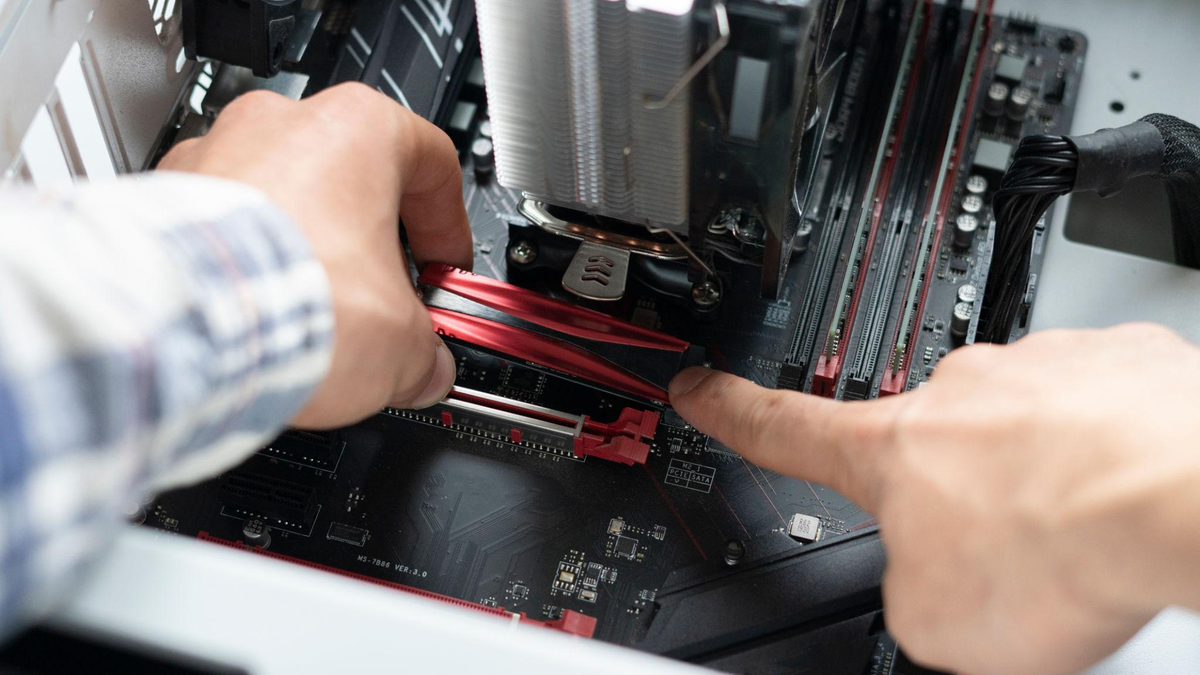
A proper PC restoration service goes beyond a quick software cleanup. It typically includes a full diagnostic to identify what’s actually causing the slowdown, followed by hands-on work such as:
- Removing old or failing components and replacing them
- Installing a solid state drive where a traditional hard drive once sat
- Adding RAM to handle modern software and multitasking
- Reinstalling the operating system for a clean, fresh start
- Updating drivers and BIOS settings so everything runs smoothly together
- Back up your files before any changes are made
The goal is to hand you back a computer that performs like new, without the cost or hassle of starting over completely.
Questions to Ask Before You Decide
If you’re still on the fence, a few honest questions can help clear things up.
How old is the computer, and has it been well maintained? Machines under five years old with clean internals usually still have plenty of value left in them.
What do you actually use it for? Everyday tasks like browsing, email, and word processing don’t need cutting-edge hardware, while gaming or video editing might.
Do you have software or files tied to this specific machine? Sometimes keeping the original setup running is simpler than starting fresh on new hardware.
Is the same problem likely to happen again? A one-time issue is worth fixing. A pattern of repeated failures is a different story.
Final Thoughts
Deciding between a rebuild and a full replacement doesn’t have to be guesswork. Look at the age and condition of your machine, weigh the real repair costs against a new purchase, and think honestly about what you actually need it to do. In many cases, a well-done rebuild gives you years of extra use for a fraction of the price of buying new.
If you’re anywhere near Athens, Jefferson, Commerce, or Gainesville, Georgia, and you’d like an honest opinion on whether your computer is worth saving, William’s PC Repair offers free diagnostics and straightforward advice before any work begins.
Frequently Asked Questions
-
How do I know if my computer is worth fixing?
Check the age, physical condition, and how many parts are failing. If it’s under five years old with only one or two issues, restoring it is usually worthwhile.
-
Is it cheaper to rebuild a PC than to buy a new one?
Usually, yes. A rebuild that replaces a drive or adds memory often costs far less than buying a comparable new computer with similar power.
-
Can a PC rebuild fix a computer that won’t turn on?
In many cases, yes. Power issues are often caused by a failing power supply or component, which can be diagnosed and replaced during a rebuild.
-
Will I lose my files during a computer rebuild?
Not if the technician backs up your data first. A proper rebuild always includes saving your files before any hardware or software changes are made.
-
How long does a PC rebuild usually take?
Most rebuilds are completed the same day or within a day or two, depending on the parts needed and the extent of the work involved.
Not Sure Which Way to Go? Let’s Find Out Together
Not sure which way to go? William’s PC Repair offers a free diagnosis before any work begins. Book an Engineer or Get a Free Quote today.